15. Localization
Localization
Localization (also known as Internationalization) is the adaptation of a product or service to meet the needs of a particular language, culture or desired population's "look-and-feel".
I. Translation:
You should always design your app in a way that can be easily translated to other languages. To do so, any text that you would expect to be translated like labels and titles and button descriptions should all be defined as a string resource in res/values/strings.xml
This allows you to create other versions of strings.xml for other languages. This is done by creating a new values folder with the pattern value-xx where xx can be the abbreviation of any language from the ISO 639 code list here, for example res/values-fr/strings.xml will contain the french version of the strings.xml file with all the strings translated from the default language to french.
This way, when a user who has set up their phone to use french as the default language, android will automatically load the french version of strings and use all the pre-translated french labels.
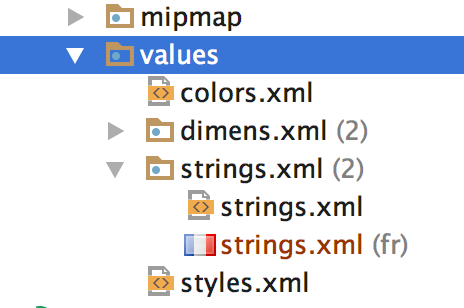
Once a new values-xx folder is created, android displays all resource files grouped together like so.
Sometimes however, you would still want to use the strings recourses for strings that you don't intend to translate, this includes strings representing identifiers for views or variable names os string formats etc.
For those strings, there's an attribute called translatable that can be set to false to indicate that this string recourse should not be translated.
```xml
## II. RTL support

If you’re distributing to countries where right-to-left (RTL) scripts are used (like Arabic or Hebrew), you should consider implementing support for RTL layouts and text display and editing, to the extent possible.

You've already seen how to set image recourses to flip when RTL support activated to indicate the correct direction of travel using
xml
Another set of attributes related to RTL support are thexml
android:layout_marginStart
android:layout_marginEnd
that correspond to xml
android:layout_marginLeft
android:layout_marginRight
```
respectively, but only when the default language is English (or any LTR language), for RTL languages however, Start is mapped to Right and End is mapped to Left instead, the idea is that when the app runs on a device with a default RTL language , everything will get mirrored by switching margins and constraints to the other side.
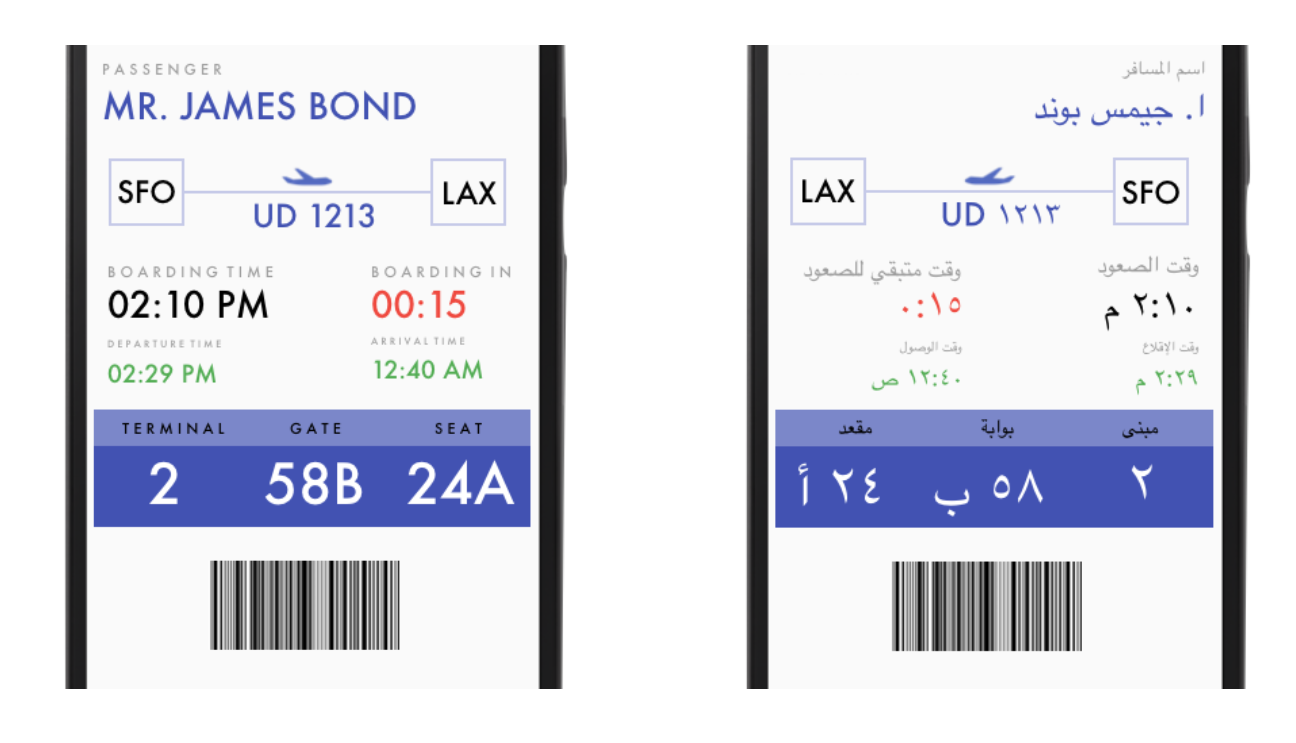
English LTR vs Arabic RTL screens of the same layout
Keep in mind that these Start and End attributes are relatively new, so to support older devices (prior to 4.1) you should still backup the Start and End margins with the outdated Left and Right ones with the same values, and if your app ends up running on a more recent device the Left Right margins are ignored and the Start End ones are used instead.
This Localization Checklist offers some more important steps you should follow to make your Android app run on many devices in many regions and hence reach the most users.